
Links
Connections you can see
Notes are worth more joined together than filed away. Madrid makes the joining a single keystroke and then shows you the shape of what you have written.
One key, no syntax
Type @ and start typing a title. Pick the note
and the link is in your sentence, reading as the note's name rather than a path.
Follow it and you are in the other note. There are no brackets to remember, no toolbar button to find, and nothing to configure first.
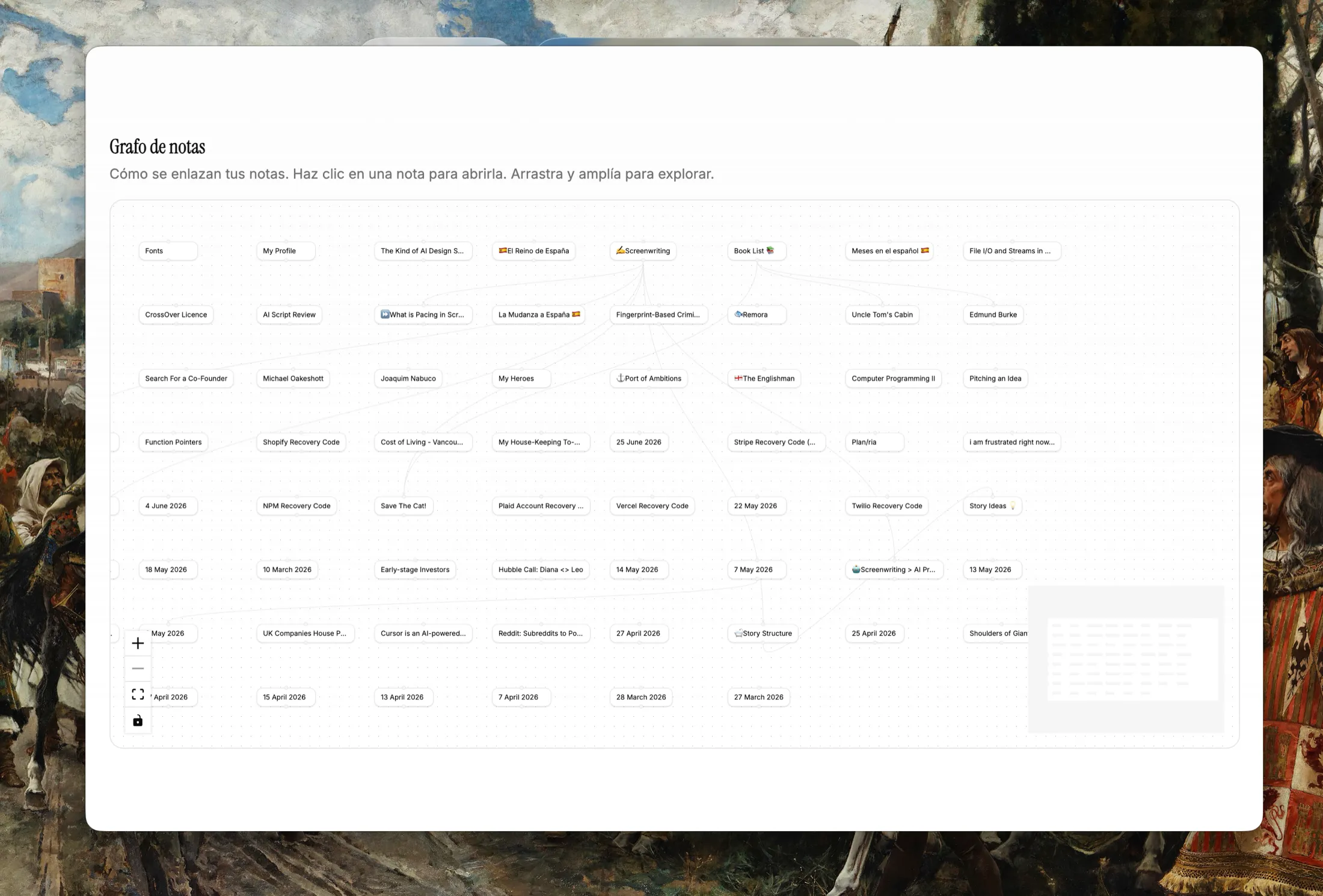
A map, not a dashboard
The graph draws every note and the links between them. Hover a note to light up what it touches, and open one to carry on writing.
It is a way to find the thread you dropped last month, not a score. Notes that do not belong in the picture can be left out of it, one switch per note.
Getting back to a note
- Search from anywhere
- Mod+K opens the palette. Type a few letters of a title and you are in the note.
- Back and forward
- Mod+[ and Mod+] walk the notes you have been reading, the way a browser walks pages.
- Folders when you want them
- The sidebar keeps folders with their own colours, for the notes you would rather file than link.
Write in it today
Install the Mac app, sign in, and subscribe from Settings.